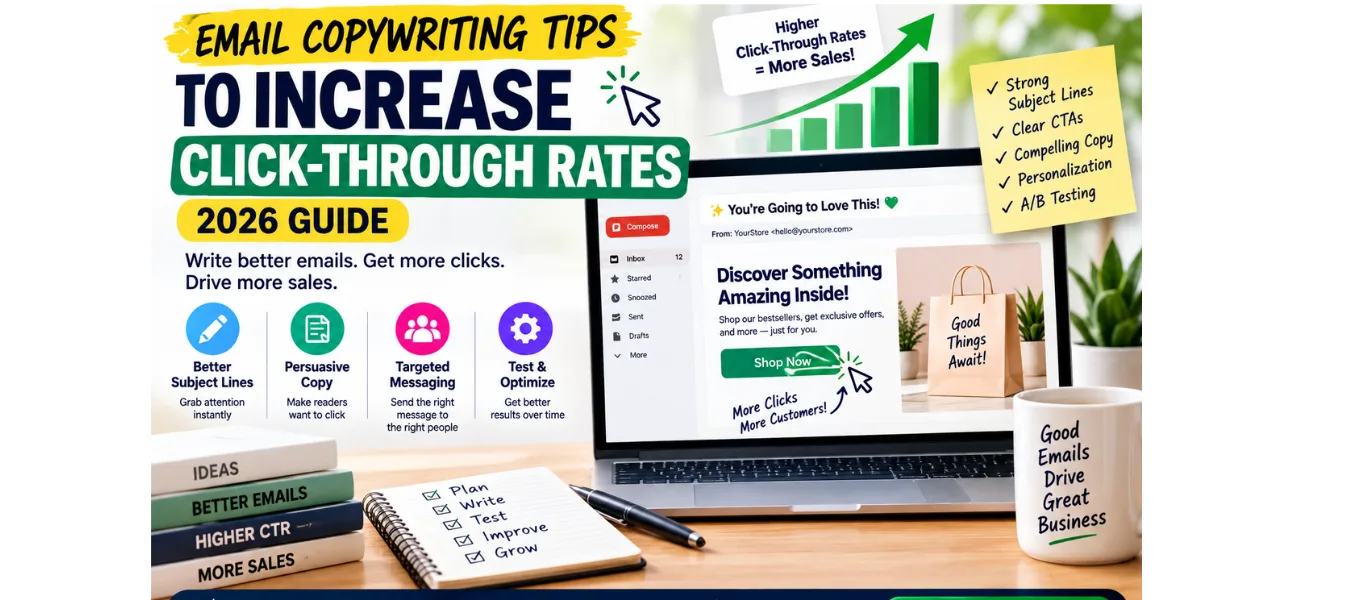
Email Copywriting Tips to Increase Click-Through Rates — Complete 2026 Guide
Getting your subscribers to open your emails is only half the battle. The other half—the half that actually generates revenue—is getting them to click. And most e-commerce stores are failing at this half completely.
The average email click-through rate for e-commerce is 2–5%. But brands using the copywriting techniques in this guide consistently achieve 8–15% CTR on their best emails—three to five times the industry average.
The difference between a 2% CTR and an 8% CTR is not the platform. It is not the list size. It is the copy—specifically, the way your CTA is written, how your email body is structured, where your urgency is placed, and whether your content feels relevant enough to earn the click.
This guide gives you 10 proven email copywriting tips that directly increase click-through rates—with real before-and-after examples, benchmark data, and specific implementation steps for each technique.
Quick result: Brands that implement all 10 tips in this guide—particularly the first-person CTA copy, single CTA structure, and benefit-led body copy—typically see a 40–80% improvement in email click-through rate within the first 30 days of implementation.
Why Email Click-Through Rate Matters More Than Open Rate
Open rate tells you how many subscribers saw your subject line and decided to open. Click-through rate tells you how many subscribers read your email and decided to act. CTR is the metric that is most directly connected to revenue—because you cannot make a sale without a click.
Here is why email CTR deserves more of your attention than open rate:
- Apple Mail Privacy Protection inflates open rates: Since 2021, Apple Mail automatically marks emails as opened regardless of whether they were actually read — making open rate an unreliable metric for brands with high proportions of iOS users
- CTR cannot be gamed by device settings: A click requires an actual human decision — tap on a specific element in your email. It cannot be inflated by any platform or privacy setting
- CTR is directly linked to revenue: Every click is a visit to your store. Every store visit has a conversion rate. Higher CTR means more store visits means more revenue — the causal chain is direct and measurable
- CTR diagnoses copy quality: Low CTR on a high-open-rate email means your subscribers liked your subject line but your email body did not deliver. That is a specific, fixable copywriting problem
KEY BENCHMARK: A good email click-through rate for e-commerce is 2–5% across all email types. Abandoned cart emails should hit 8–12%. Welcome emails should achieve 5–8%. If your campaign CTR is consistently below 2%, all 10 tips in this guide apply immediately.
What Is a Good Email Click-Through Rate for Ecommerce?
Before implementing the tips below, you need to know whether your current email click rate is above or below the benchmark for each email type you send:
| Email Type | Average CTR | Good CTR | Excellent CTR |
|---|---|---|---|
| Welcome email | 5–8% | 8%+ | 12%+ |
| Abandoned cart | 8–12% | 12%+ | 18%+ |
| Browse abandonment | 6–10% | 10%+ | 15%+ |
| Post-purchase | 3–6% | 6%+ | 10%+ |
| Promotional campaign | 2–4% | 4%+ | 8%+ |
| Win-back campaign | 2–4% | 4%+ | 8%+ |
If your CTR is below the average column for any email type, focus on the tips most relevant to that email — the CTA tips for campaigns, the structure tips for flows, and the personalisation tips for your best-performing segments.
Full benchmark data: For open rate, CTR, conversion rate, and revenue per email benchmarks across all email types, see our Ecommerce Email Marketing Benchmarks guide at blogwithjawed.com/ecommerce-email-marketing-benchmarks
TIP 01 Write One CTA Per Email — Never Two
This is the single most impactful structural change you can make to increase email CTR — and it is free to implement in the next 5 minutes.
When an email has multiple CTAs pointing to different destinations, your subscriber’s attention is split. They evaluate option A, then option B, then option C — and frequently choose none. The psychological phenomenon is called decision paralysis, and it consistently reduces click-through rates by 20–40% compared to emails with a single focused CTA.
Before vs After — Single CTA
- Before (multiple CTAs): “Shop New Arrivals” + “Browse Best Sellers” + “View Sale Items” — three buttons, three destinations, zero urgency to click any specific one
- After (single CTA): “Claim My 20% Off — Shop New Arrivals” — one button, one destination, one decision
Rule: one email, one offer, one CTA button. If you have multiple products to feature, link them all to the same landing page — your sale collection, your new arrivals page, or your best sellers. The CTA button still goes to one destination.
QUICK WIN: Audit your last 5 emails. How many had more than one CTA button? Replace all multi-CTA emails with a single focused button in your next send and compare CTR. Most brands see a 20–35% CTR improvement from this change alone.
TIP 02 Use First-Person CTA Button Copy
The single highest-impact email CTA change you can make — and one of the most consistently proven in split testing — is switching from second-person to first-person CTA copy.
| CTA Copy Style | Relative CTR Lift | Example |
|---|---|---|
| First-person ownership | ✅ +90% vs generic | Claim My 10% Off |
| Benefit-led | ✅ +54% vs generic | Get My Free Shipping |
| Urgency-driven | ✅ +32% vs generic | Shop Now — Ends Tonight |
| Action verb + specific | ✅ +27% vs generic | Grab My Discount Code |
| Generic second-person | Baseline | Click Here / Shop Now |
The psychology behind first-person CTA copy: “Claim My 10% Off” creates a sense of ownership before the click happens. The subscriber mentally possesses the discount before clicking — making the click feel like completing a transaction they have already started, not beginning a new one.
First-Person CTA Swipe File
- “Claim My [X]% Off” — discount offer emails
- “Get My Free Shipping” — free shipping offer emails
- “Yes, I Want This” — product launch emails
- “Send Me the Deal” — flash sale emails
- “Shop My Picks” — personalised recommendation emails
- “Grab My Discount Code” — urgency close emails
- “Start My Free Trial” — SaaS or subscription products
TIP 03 Lead With the Benefit in Your Email Body
The most common cause of low email click-through rate is email body copy that leads with product features instead of customer outcomes. Features tell subscribers what a product is. Benefits tell them what it does for them. Subscribers click for outcomes, not specifications.
Feature vs Benefit—Before and After
- Feature-led (low CTR): “Our new moisturizer contains 2% retinol, hyaluronic acid, and vitamin C complex.” — What does that mean for me?
- Benefit-led (high CTR): “Wake up to visibly smoother skin in 14 days — our most powerful formula yet.” — I want that result. I am clicking.
- Feature-led (low CTR): “This jacket is made from 100% merino wool with a 200-thread count.” — So what?
- Benefit-led (high CTR): “Stays warm in winter, cool in summer, and looks sharp enough for the office — the only jacket you need.” — That solves my problem. I am clicking.
The framework for converting feature copy to benefit copy: start with the feature, then ask “so what?” until you reach a clear customer outcome. That outcome is your email body copy.
Related: Read our guide on Email Copywriting Psychology That Drives Sales at blogwithjawed.com/email-copywriting-psychology-drives-sales for the full benefit-led copy framework with ecommerce examples.
TIP 04: Use Curiosity Gaps in Your Opening Line
Your email opening line — the first sentence after the salutation — determines whether your subscriber reads the email or closes it. A curiosity gap is a technique that creates an information gap your reader is compelled to close by reading further.
Curiosity Gap Formula
State something interesting but incomplete, then imply the answer is inside the email.
- Weak opening: “We are excited to introduce our new summer collection.” — No gap. No reason to read further
- Curiosity gap: “We almost did not make this product. Here is what changed.” — What happened? Why? I need to know
- Weak opening: “Check out our latest sale.” — Generic. No urgency. No gap
- Curiosity gap: “Most of our customers buy this one product first. There is a very specific reason.” — Which product? Why? Clicking to find out
The curiosity gap keeps subscribers reading from the opening line to the CTA — dramatically increasing the proportion of openers who reach and click the button. Emails where subscribers read to completion convert at 3–4 times the rate of emails where they skim and leave.
PRO TIP: Your email opening line and your subject line should create a two-part curiosity sequence. The subject line opens the gap. The opening line deepens it. The body copy answers it just before the CTA — at the exact moment the subscriber is most primed to click.
TIP 05 Optimise Your Preview Text for Clicks
Preview text — the short line that appears below your subject line in the inbox — is one of the most underused tools available for improving email CTR. Most ecommerce brands either leave it blank (which causes their email platform to pull the first line of body copy, often something like “View in browser”) or repeat the subject line.
Preview text should function as the second half of your subject line — deepening the curiosity gap or adding a specific benefit that the subject line opened. Used correctly, it increases email open rates by 7–12% — which directly feeds more clicks.
Subject Line + Preview Text Pairing Examples
- Subject: “Your cart is still waiting, Sarah…”Preview: “You were so close — here is what you left behind and why 3,000 customers love it”
- Subject: “Our biggest sale of the year is here”Preview: “30% off everything — but only until midnight tonight. Here is what to grab first”
- Subject: “The email we almost did not send”Preview: “It contains our most honest message yet — and a gift we think you deserve”
Related: Read our complete guide to Email Subject Line Secrets That Increase Open Rates
at blogwithjawed.com/email-subject-line-secrets-increase-open-rates — includes preview text formulas for every email type.
TIP 06 Structure Your Email for Scannable Reading
Research consistently shows that over 70% of email subscribers scan emails before deciding whether to read them fully. If your email is a wall of text with no visual hierarchy, most subscribers will close without clicking — regardless of how good the copy is.
The Scannable Email Structure
- Short opening paragraph: 2–3 sentences maximum. The hook and context. If this does not earn attention, nothing below it will be read
- One-sentence benefit statement: The core value proposition in a single bold sentence. This is what scanners see
- 2–3 bullet points or short paragraphs: Supporting points, social proof, or feature-to-benefit breakdown. Each under 2 lines
- Urgency or scarcity line: One sentence immediately above the CTA that creates a reason to click now rather than later
- CTA button: The single, first-person, benefit-led button that ends the email
- P.S. line: The most-read part of any email after the subject line. Use it to reinforce the main benefit or create a second urgency point
The P.S. line deserves special attention. Studies consistently show that subscribers who do not read the email body often skip directly to the P.S. — making it a second CTA opportunity that most ecommerce brands never use.
TIP 07 Add Urgency and Scarcity Above the CTA
The placement of your urgency or scarcity statement directly determines its impact on email CTR. Urgency buried in the middle of your email body is significantly less effective than urgency placed immediately above your CTA button — where it fires at the exact moment of the click decision.
Urgency Placement — Where It Works
- Most effective: One urgency line immediately above the CTA button—”Offer expires at midnight tonight”—directly above “Claim My 20% Off →”
- Effective: Urgency in the opening line + reminder above the CTA—establishes stakes early and reinforces them at the click point
- Least effective: Urgency buried in the third paragraph with a generic CTA—subscribers who scan never see it
Types of Genuine Urgency for Ecommerce Emails
- Time-based: “Ends at midnight tonight” · “Sale closes in 3 hours” · “Offer expires Sunday”
- Stock-based: “Only 12 left in stock” · “Low inventory—selling fast” · “Final units available”
- Access-based: “Early access closes in 24 hours” · “VIP pricing ends tonight.” · “Pre-sale spots filling up”
- Deadline-based: “Order by Friday for guaranteed Monday delivery” · “Last day for Christmas delivery”
Important: Only use genuine urgency and scarcity in your emails. False urgency—”Only 3 left!” when you have 300 units—is discovered quickly and permanently damages subscriber trust. For the full framework, see our guide at blogwithjawed.com/scarcity-urgency-ecommerce-emails
TIP 08 Personalize Beyond First Name
First-name personalization in email subject lines increases open rates by an average of 26%. But email CTR is most improved by deeper personalization—content that is relevant to the specific subscriber based on their purchase history, browsing behavior, or list segment.
Personalization Types That Increase CTR
- Purchase-based personalization: “You bought [PRODUCT X] 30 days ago—here is what customers pair it with.” Subscribers who receive product recommendations based on their purchase history click at 2.4x the rate of generic recommendation emails
- Browse-based personalization: “You were looking at [PRODUCT]—here is what 500 customers who bought it said.” Klaviyo’s browse abandonment flow does this automatically using real-time Shopify data
- Segment-based personalization: Sending VIP-specific content to your top buyers (“exclusive early access for our best customers”) consistently outperforms the same email sent to your full list
- Location-based personalization: For stores with seasonal or regional relevance—”Summer has arrived in [CITY]”—personalization by location increases CTR by an average of 29%
Klaviyo’s dynamic content blocks enable all four personalisation types using your Shopify customer data — no additional tools required. For the full personalisation framework, read our guide on email personalisation tactics for ecommerce at blogwithjawed.com/email-personalization-tactics-ecommerce
TIP 09 Optimise Your Email Copy for Mobile First
Over 60% of ecommerce emails are opened on a mobile device. If your email copy is not optimised for mobile reading, you are losing more than half of your potential clicks before the copy even has a chance to work.
Mobile Email Copy Rules
- Subject line under 40 characters: Mobile inbox displays fewer characters than desktop — front-load your most important words
- Preview text under 80 characters: Mobile preview text is shorter — get to the point immediately
- Opening line under 2 lines on mobile: Test your email on mobile before sending — if your opening requires scrolling to reach the end, shorten it
- Paragraphs under 3 lines: Long paragraphs become impenetrable walls of text on mobile. Break every paragraph at 2–3 lines maximum
- CTA button minimum 44px height: Apple’s Human Interface Guidelines recommend at least 44px tap targets — a button too small to tap confidently kills CTR on iOS
- Single column layout: Multi-column email designs collapse poorly on mobile. Single-column layouts are always mobile-safe
- Image-to-text ratio: Heavy image emails often render slowly on mobile — or not at all on slow connections. Make sure your email is readable without images loading
CHECK THIS NOW: Send your next email to yourself and open it on your smartphone before deploying to your list. If you would not click the CTA on mobile, your subscribers will not either. Mobile preview is a non-negotiable step in your send checklist from this point forward.
TIP 10 A/B Test Your CTA Copy Every Send
The only way to know with certainty which email CTA copy drives the highest CTR for your specific audience is to test it. A/B testing CTA copy costs nothing, takes 5 minutes to set up in any major email platform, and provides data that compounds in value with every send.
How to A/B Test CTA Copy
- Pick one variable: Test CTA copy only — not subject line AND body copy AND CTA simultaneously. One variable per test gives you actionable data
- Set your split: Send Version A to 20% of your list, Version B to 20%, and the winning version to the remaining 60% after 4 hours
- Test meaningful variants: Do not test “Claim My 10% Off” vs “Claim My 10% Off Now” — the difference is negligible. Test “Claim My 10% Off” vs “Shop the Sale” — meaningfully different CTA strategies
- Track CTR not open rate: Open rate measures subject line performance. CTR measures CTA performance. Make sure your A/B test is measuring the right metric
- Implement the winner: Apply the winning CTA approach to your next 3–5 emails before testing again. One win does not mean universal truth — validate it
- Build a testing library: Keep a record of every test result. Over time, your data library tells you definitively what CTA styles work for your specific audience — eliminating guesswork permanently.
What to A/B Test Beyond CTA Copy
- CTA button colour: Your brand accent colour (orange) vs a contrasting colour — sometimes a colour change alone lifts CTR by 15–20%
- CTA placement: Single CTA at bottom vs CTA repeated above the fold and at the bottom—some audiences respond better to early CTA placement
- Email length: Short email (under 100 words) vs standard length — for urgent or sale emails, shorter often converts higher
- Personalisation presence: First name in subject line vs no first name—validate that personalization is actually lifting CTR for your list
Why Your Email CTR Is Low — Diagnostic Guide
If your email click-through rate is consistently below benchmark, here is a diagnostic framework to identify the specific cause:
| Symptom | Most Likely Cause | Fix |
|---|---|---|
| High open rate + low CTR | Email body or CTA copy issue | Apply Tips 1–4 and 7 |
| Low CTR on all email types | Structural or mobile issue | Apply Tips 6 and 9 |
| Low CTR on campaigns only | Irrelevant offer or poor segmentation | Segment list before send |
| Low CTR on automations | Outdated copy or wrong product | Rewrite with current copy tips |
| CTR declining over time | List fatigue or frequency issue | Reduce frequency + clean list |
| CTR low on mobile only | Mobile rendering issue | Apply Tip 9 immediately |
The fastest way to diagnose your CTR issue: look at which email types are underperforming. If all your email types have low CTR, the problem is structural — single CTA, benefit-led copy, and mobile optimisation. If only campaigns have low CTR while automations perform normally, the problem is relevance — your segments need tightening.
Frequently Asked Questions
What is a good email click-through rate for ecommerce?
A good email click-through rate for ecommerce is 2–5% across all email types combined. However, this varies significantly by email type: abandoned cart emails should achieve 8–12% CTR, welcome emails 5–8%, browse abandonment 6–10%, and promotional campaigns 2–4%. If your overall average CTR is below 2%, applying the 10 tips in this guide — particularly first-person CTA copy, single CTA structure, and benefit-led body copy — will produce the fastest improvement.
Why is my email click-through rate so low?
The most common causes of low email CTR in ecommerce are: multiple competing CTAs that cause decision paralysis (fix with Tip 1), generic “Shop Now” CTA copy (fix with Tip 2), feature-led body copy that does not connect with customer outcomes (fix with Tip 3), no urgency near the CTA button (fix with Tip 7), and poor mobile rendering that makes the CTA button difficult to tap (fix with Tip 9). Start with the single CTA change — it produces the fastest measurable improvement.
How do I increase my email click-through rate fast?
The three fastest ways to increase email CTR immediately: (1) Switch all CTA buttons to first-person copy — “Claim My 10% Off” instead of “Shop Now” — achievable in under 5 minutes per email. (2) Remove all CTAs except one from your next campaign — decision paralysis is eliminated instantly. (3) Add a one-line urgency statement immediately above your CTA button — “Offer expires at midnight tonight” — this change alone typically lifts CTR by 20–32%.
Does personalisation increase email click-through rate?
Yes — significantly. First-name personalisation in the subject line increases open rates by 26%, which feeds more potential clicks. But deeper email personalisation — purchase-based product recommendations, browse-based content, and segment-specific offers — increases CTR by 2–3x compared to generic broadcast emails. Subscribers who receive content directly relevant to their specific behaviour, purchase history, or segment click at dramatically higher rates than those who receive the same email as everyone else on your list.
How many CTAs should an e-commerce email have?
One. A single, clear, benefit-led CTA button is the proven optimal structure for e-commerce email click-through rate. Multiple CTAs consistently underperform single CTAs because they create decision paralysis—subscribers evaluate multiple options and choose none. If you need to feature multiple products, link them all to a single collection or landing page and use one CTA button that leads there. The only exception: a P.S. line CTA that repeats the main button—this is a single offer repeated, not competing options.
Implement One Tip Today
You now have 10 proven email copywriting tips that directly increase click-through rates. The temptation is to implement all 10 at once—but the most effective approach is to apply them in priority order, measure the impact, and move to the next.
Start with Tip 1 (single CTA) and Tip 2 (first-person CTA copy) in your very next email send. These two changes combined consistently produce a 40–60% CTR improvement—and both can be implemented in under 10 minutes.
Then add Tips 3, 6, and 7 over the following two weeks—benefit-led body copy, scannable structure, and urgency placement. By the end of your first month applying this guide, your email click-through rate will be measurably higher than when you started.
And remember: copy quality determines whether your email program hits 2% CTR or 8% CTR. The platform provides the infrastructure. The strategy provides the framework. The copy closes the gap. If you need help writing ecommerce email copy that converts subscribers into buyers—welcome sequences, abandoned cart emails, product launches, and seasonal campaigns—visit blogwithjawed.com to learn how I work with ecommerce brands.
Related reading:
How to UseScarcity and Urgency in ECommerce email
Email Personalization Tactis that increase conversation
Email Subject Line Secrets that increase open rates
Published on blogwithjawed.com | Written by Jawed Iqbal | Email Copywriter for Ecommerce Brands