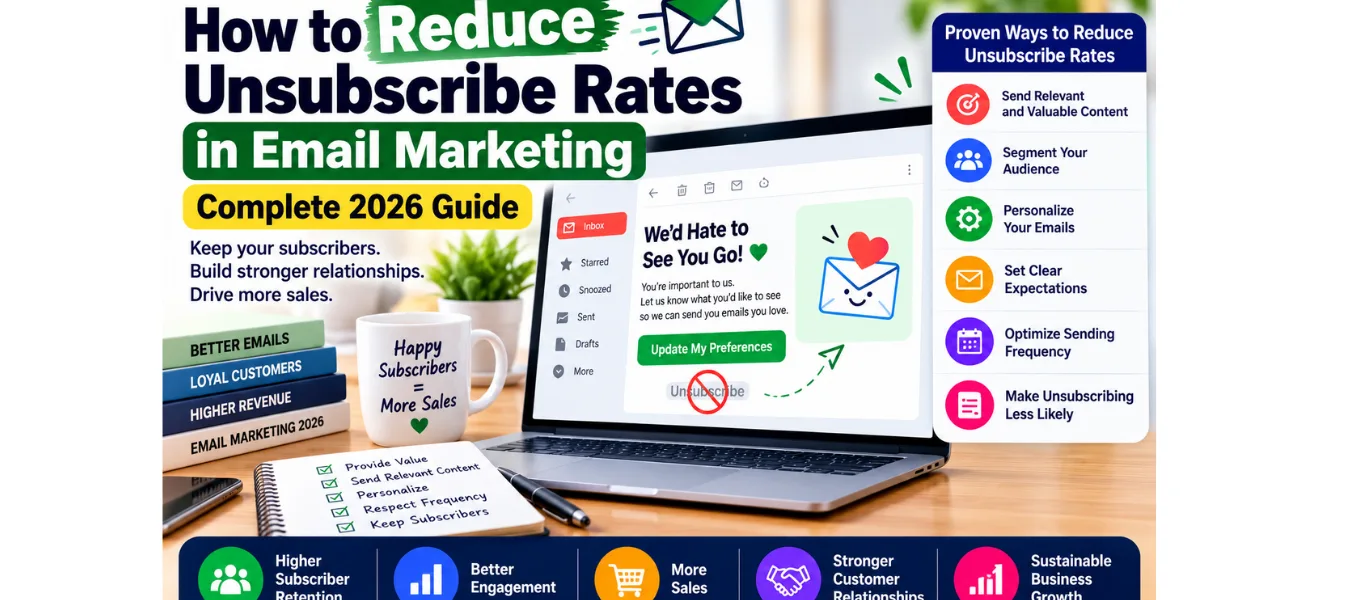
How to Reduce Unsubscribe Rates in Email Marketing — Complete 2026 Guide
An email unsubscribe feels like a small thing. One fewer contact on your list. One person who decided your emails were not worth their inbox space.
But unsubscribes are not just a list size problem—they are a deliverability problem. Gmail, Yahoo, and Outlook actively monitor your unsubscribe rate and use it as a signal of email quality. A consistently high unsubscribe rate causes your emails to land in spam folders—not just for subscribers who unsubscribed, but for the engaged subscribers still on your list who never see your emails at all.
This guide gives you everything you need to reduce your email unsubscribe rate—the benchmark data, the real reasons subscribers leave, and 8 proven fixes that bring unsubscribe rates back below 0.2% within 30 days.
WARNING: An email unsubscribe rate above 0.5% per send is not just a sign that subscribers are leaving—it is an active signal to email providers that you are sending low-quality content. Above 1% per send, most platforms begin throttling your deliverability automatically. Fix this before it compounds.
What Is a Good Email Unsubscribe Rate for Ecommerce?
Before diagnosing your specific problem, you need to know where the thresholds are. Here are the email unsubscribe rate benchmarks for e-commerce in 2026:
Metric
Healthy
Warning
Action Required
Unsubscribe rate per send
Under 0.2%
0.2–0.5%
Over 0.5%
Spam complaint rate
Under 0.08%
0.08–0.1%
Over 0.1%
Monthly list churn rate
Under 2%
2–5%
Over 5%
90-day inactive rate
Under 15%
15–25%
Over 25%
Re-engagement rate
Over 10%
5–10%
Under 5%
The most important threshold: 0.5% unsubscribe rate per send. Below 0.2% is healthy. Between 0.2% and 0.5% is a warning—investigate and apply fixes. Above 0.5% requires immediate action before deliverability is affected. Above 1% means your emails may already be landing in spam for a portion of your list.
Full benchmark reference: See our complete Ecommerce Email Marketing Benchmarks guide at blogwithjawed.com/ecommerce-email-marketing-benchmarks for all metrics, including open rate, CTR, conversion rate, and revenue per email benchmarks by email type.
Why Subscribers Unsubscribe — The Real Reasons
Most e-commerce brands assume their subscribers unsubscribe because the products are not relevant or the brand is not interesting enough. The data tells a completely different story:
Reason for Unsubscribing
% of Unsubscribers
Primary Fix
Emails too frequent
46%
Fix 1—Optimize send frequency
Content not relevant to me
32%
Fix 2—Segment your list.
Never signed up or forgot
14%
Fix 7—Improve welcome email
Emails look like spam.
5%
Improve design and sender reputation.
Too many promotional emails
3%
Fix 4 — Improve content value mix
The single most important insight from this data: 46% of subscribers unsubscribe because you email them too often. Not because they dislike your brand. Not because your products are irrelevant. Because the volume is too high for their inbox tolerance.
This means the most impactful single change you can make to reduce your email unsubscribe rate is examining and reducing your send frequency—before addressing any other factor.
FIX 01: Optimize Your Email Send Frequency
Sending too many emails is the leading cause of e-commerce email unsubscribes—responsible for nearly half of all list departures. The optimal send frequency varies by list size, engagement rate, and brand, but these benchmarks apply to most e-commerce stores:
Beginner stores (under 1,000 subscribers): 1–2 sends per week maximum. Your list is small, and your subscribers are not yet deeply engaged with your brand—high frequency causes fatigue quickly
Growing stores (1,000–10,000 subscribers): 2–3 sends per week. This is the standard cadence for most e-commerce brands and consistently balances revenue generation with low unsubscribe rates.
Established stores (10,000+ subscribers): 3–5 sends per week to highly segmented lists. High frequency only works when each send is highly relevant to the specific segment receiving it.
How to Find Your Optimal Send Frequency
Check your current unsubscribe rate per send—if it is above 0.3%, frequency is likely a contributing factor.
Reduce send frequency by 25% for 30 days and compare unsubscribe rates before and after.
If the unsubscribe rate improves, maintain the lower frequency and consider adding a preference center so subscribers can choose their own cadence.
If the unsubscribe rate does not improve after reducing frequency, the problem is content relevance—move to Fix 2.
PRO TIP: Your automation flows (welcome series, abandoned cart, post-purchase) do not contribute to frequency fatigue in the same way broadcast campaigns do—because they are triggered by subscriber behavior and feel relevant. When counting your weekly send frequency, focus on reducing broadcast campaigns, not automation flows.
FIX 02: Segment Your List Before Every Send
Sending the same email to your entire list is one of the fastest ways to drive email unsubscribes. New subscribers, first-time buyers, repeat VIP customers, and lapsed subscribers all have fundamentally different relationships with your brand—and they all need different emails.
The 4 core segments that directly reduce unsubscribe rate when you use them consistently:
New subscribers (no purchase): Send welcome and nurture content—not promotional campaigns. New subscribers who receive a flash sale email on Day 3 before receiving a proper welcome sequence unsubscribe at 3–5x the rate of subscribers who receive a welcome series first.
Engaged subscribers (opened in last 30 days): Your most receptive audience. Can receive higher frequency and more promotional content without increased unsubscribe rates
Lapsed subscribers (no open in 60–90 days): Do not send promotional campaigns to this segment—they will unsubscribe or mark as spam. Send a re-engagement campaign first (see Fix 5).
VIP buyers (3+ purchases): This segment responds best to exclusivity and early access—not discounts. Sending the same sale email to VIPs as to new subscribers misses their motivation and generates unnecessary unsubscribes.
In Klaviyo, create these segments under Lists and Segments. Set campaign sends to exclude the lapsed segment by default. The Klaviyo Smart Send Time feature also reduces unsubscribes by sending at the optimal time for each individual subscriber—a 15–20% reduction in unsubscribe rate from timing optimization alone.
Related: Our complete guide to email personalization tactics for e-commerce covers advanced segmentation, including RFM modelling, browse-based personalization, and purchase-history targeting.
FIX 03: Set Up an Email Preference Center
An email preference center is a page where subscribers can customize what types of emails they receive and how often—rather than choosing between receiving everything or unsubscribing entirely. It is one of the most underused tools for reducing email unsubscribe rates in e-commerce.
Research consistently shows that when given the option to reduce email frequency instead of unsubscribing entirely, 35–50% of subscribers who would have unsubscribed choose to reduce frequency instead. A preference center converts potential unsubscribes into engaged low-frequency subscribers.
What a Preference Center Should Include
Email type preferences: New arrivals, sale notifications, educational content, back-in-stock alerts, exclusive VIP offers—let subscribers opt into only what interests them.
Frequency options: daily, weekly, fortnightly, monthly—let subscribers choose their own cadence rather than imposing yours on them.
Easy update process: One click from any email to reach the preference center—no login required, no lengthy forms.
Clear unsubscribe option: Always include a full unsubscribe option—hiding it violates CAN-SPAM and GDPR and destroys trust when subscribers realize it is buried.
How to Set Up a Preference Center in Klaviyo
Go to Account → Settings → Email → Manage Preference Pages.
Create a new preference page with your brand colors and logo.
Add frequency options and email type categories relevant to your store.
Link the preference center in your email footer—”Manage your email preferences” alongside the unsubscribe link.
Track how many subscribers use it monthly—this is a direct measure of unsubscribe prevention.
FIX 04: Improve Your Email Content Value Mix
If every email you send is a promotional campaign—sale, new arrival, flash discount—your subscribers begin to treat your emails as advertisements. Advertisements get deleted, filtered, or unsubscribed from.
The solution is a content value mix—a deliberate ratio of promotional emails to value-driven emails that makes your list feel like a worthwhile subscription rather than a marketing channel.
Recommended Content Mix to Reduce Unsubscribes
40% educational or valuable content: Tips, guides, and how-to content related to your product category. Subscribers who receive value from your emails stay subscribed far longer than subscribers who only receive promotions.
30% product or story content: New arrivals, behind-the-scenes, founder stories, customer spotlights—content that builds brand connection without direct selling
30% promotional content: Sales, discounts, flash offers, and limited editions—the content that drives immediate revenue but also drives the highest unsubscribe rates when it is the only thing you send.
A 40/30/30 content mix is not a universal rule—it is a starting point. Watch your unsubscribe rate per content type. If your educational emails have a 0.05% unsubscribe rate and your promotional emails have 0.8%, the data is telling you to send more educational and fewer promotional emails to your specific audience.
QUICK AUDIT: Count your last 10 email campaigns. How many were promotional (sale, discount, new arrival)? How many were educational or story-driven? If more than 7 out of 10 were promotional, your content mix is a significant driver of your unsubscribe rate.
FIX 05: Run a Re-engagement Campaign Before Suppressing
Before suppressing a disengaged subscriber — someone who has not opened your emails in 60–90 days — send them a re-engagement campaign that gives them one final chance to confirm their interest. This approach consistently reactivates 10–25% of subscribers who would otherwise be permanently lost.
The 3-Email Re-engagement Sequence
Email 1 — The honest check-in: “We noticed you have not opened our emails recently — are you still interested?” Subject: “Are we still friends?” Casual, warm, no selling. Give them a clear reason to stay and a clear option to leave
Email 2 — The value reminder: Remind them of what they get from your emails — exclusive offers, new products, helpful tips — with a clear benefit for staying subscribed. Include a soft incentive: “Stay subscribed and get 15% off your next order”
Email 3 — The final goodbye: “This is the last email we will send you unless you let us know you want to stay.” Most platforms call this a sunset email — it performs paradoxically well because the fear of missing out drives re-engagement even from very cold subscribers
Subscribers who do not respond to all three re-engagement emails should be suppressed — not deleted — from your sending list. Suppressed subscribers remain on your Klaviyo or Omnisend account but are excluded from future sends. If they ever visit your store and re-subscribe, they are automatically reactivated.
KEY STAT: Brands that run regular re-engagement campaigns before suppressing disengaged subscribers consistently maintain lower unsubscribe rates, higher open rates, and better inbox placement than brands that simply keep sending to unengaged contacts indefinitely.
FIX 06: Set Up a Sunset Flow
A sunset flow is an automated sequence that identifies subscribers who have been consistently unengaged — typically 90–120 days without opening a single email — and gives them a structured final opportunity to re-engage before being suppressed automatically.
Unlike a manual re-engagement campaign, a sunset flow runs continuously — processing new unengaged subscribers into the sequence automatically as they hit the inactivity threshold. This means your list hygiene happens passively, without any ongoing manual work.
How to Set Up a Sunset Flow in Klaviyo
Create a segment: “Has not opened email in 90 days AND subscribed more than 90 days ago”
Create a new flow triggered by joining this segment
Add Email 1 (check-in), 7-day delay, Email 2 (value reminder), 7-day delay, Email 3 (final goodbye)
Add a conditional split after each email: if opened → exit flow and return to active list. If not opened → continue to next email
After Email 3 with no open: suppress the subscriber automatically using a Klaviyo action block
Review sunset flow metrics monthly — re-engagement rate should be 10–25%. If below 10%, review your re-engagement copy
The sunset flow directly reduces your unsubscribe rate in a subtle but powerful way: by removing chronically unengaged subscribers before they eventually unsubscribe or mark your emails as spam. A smaller, engaged list consistently outperforms a larger, disengaged list on every metric that matters — including inbox placement, open rate, CTR, and revenue per email.
FIX 07: Improve Your Welcome Email to Set Expectations
Fourteen percent of unsubscribes happen because subscribers either forgot they signed up or feel like your emails are not what they expected. Both of these problems are solved at the same place: your welcome email sequence.
A properly written welcome email series does three things that directly reduce future unsubscribes:
Reminds subscribers why they signed up: Delivering the promised incentive instantly reinforces the positive decision they made to join your list. Subscribers who remember why they subscribed are significantly less likely to leave
Sets clear expectations about email frequency and content: Telling subscribers exactly what to expect — “We send 2 emails per week — new arrivals on Tuesday, tips and stories on Thursday” — eliminates the surprise of receiving more emails than expected
Builds brand connection before promotional emails begin: Subscribers who receive a brand story email and a social proof email before their first promotional campaign are significantly more tolerant of future promotional sends
Full guide: Our complete Welcome Email Series for Ecommerce covers the full 5-email welcome sequence with copy frameworks that reduce future unsubscribes by building genuine brand connection in the first 7 days.
FIX 08: Use Double Opt-In for New Subscribers
Double opt-in requires new subscribers to confirm their email address by clicking a link in a confirmation email before you add them to your sending list. This single step—which takes subscribers about 30 seconds to complete—has a measurable impact on unsubscribe rates for one reason: it filters out subscribers who didn’t genuinely want to join your list.
Double Opt-In Impact on Unsubscribe Rate
Single opt-in lists typically include mistyped email addresses, email addresses entered by someone else, and low-intent subscribers who signed up impulsively for a discount. These subscribers have the highest unsubscribe rates — often 3–5x higher than genuinely engaged subscribers
Double opt-in lists average 20–30% lower unsubscribe rates than single opt-in lists from the same traffic source — because every subscriber has taken an active second step to confirm their interest
Trade-off: Double opt-in reduces your list growth rate by approximately 20–30% — some subscribers do not complete the confirmation step. This is acceptable if your primary concern is list quality rather than list volume
When to Use Double Opt-In
Use double opt-in when: Your unsubscribe rate is consistently above 0.3%, you are in a market with strict GDPR compliance requirements, or your current list quality is low — many bounces, low open rates, high unsubscribes
Consider single opt-in when: Your list growth rate is already slow (under 50 new subscribers per month), and you need volume before quality, or your existing unsubscribe rate is already under 0.2%
To enable double opt-in in Klaviyo: go to Lists → select your list → List Settings → enable “Require subscribers to confirm their email address.” A confirmation email fires automatically to every new signup.
How High Unsubscribe Rate Damages Your Deliverability
Most ecommerce brands think of email unsubscribe rate as a list health metric. It is also a deliverability signal — one of the most important signals email providers use to determine whether your emails belong in the inbox or the spam folder.
Here is how the chain works:
Your unsubscribe rate rises above 0.5% per send
Gmail and Yahoo flag your sending domain as generating low-quality content
Your emails begin landing in the Promotions tab instead of the Primary inbox — reducing open rates by 30–50%
More emails in the Promotions tab means fewer opens, which further damages your engagement signals
In severe cases, your emails begin landing in spam — invisible to your entire list
This is why a high email unsubscribe rate is not just a list size problem — it is a compound deliverability problem that affects every subscriber on your list, including your most engaged VIP buyers who never considered unsubscribing.
CRITICAL: In February 2024, Google and Yahoo implemented new sender requirements that include unsubscribe rate monitoring at scale. For brands sending over 5,000 emails per day, a consistently high unsubscribe rate now triggers automatic inbox placement penalties. If your sending volume has grown recently, treat your unsubscribe rate as a mission-critical metric, not a vanity number.
Unsubscribe Rate Diagnostic — Find Your Specific Problem
Before implementing all 8 fixes simultaneously, use this diagnostic table to identify the most likely cause of your specific high email unsubscribe rate and prioritise the most relevant fixes:
Symptom
Most Likely Cause
Start With
High unsubscribe on every send
Frequency too high
Fix 1 — reduce send cadence immediately
High unsubscribe on campaigns only
Poor segmentation — wrong audience
Fix 2 — segment before every campaign
High unsubscribe from new subscribers
Welcome sequence missing or weak
Fix 7 — rebuild welcome series
Unsubscribe rate rising month-on-month
List fatigue + no re-engagement flow
Fixes 5 and 6 — re-engage and sunset
Unsubscribe rate fine but spam rate high
Content triggering spam filters
Fix 3 + Fix 4 — preference centre + content mix
High unsubscribe on promotional emails only
Too many sales emails — no value mix
Fix 4 — improve content value mix
Unsubscribe rate above 1% on any send
Multiple causes — urgent action needed
Fixes 1, 2, and 5 simultaneously
The diagnostic approach: always check the email unsubscribe rate by send type before applying fixes. If your automation flows have low unsubscribe rates but your broadcast campaigns have high rates, the problem is campaign-specific — frequency, segmentation, and content mix. If all email types have high rates, the problem is structural — welcome sequence, list quality, or sending infrastructure.
Frequently Asked Questions
What is a good email unsubscribe rate for ecommerce?
A good email unsubscribe rate for ecommerce is under 0.2% per send. Between 0.2% and 0.5% is a warning level — investigate the cause using the diagnostic table in this guide. Above 0.5% requires immediate action. Above 1% on any send means your emails may already be affecting deliverability. Your monthly list churn rate — total unsubscribes as a percentage of your list size — should stay under 2% for healthy list growth.
Why is my email unsubscribe rate so high?
The most common causes of high email unsubscribe rate in ecommerce, in order of frequency: sending too many emails (46% of cases), sending irrelevant content to unsegmented lists (32%), poor welcome email that fails to set expectations (14%), and email design that feels spammy (5%). Start by checking your send frequency and segmentation practice — these two factors account for 78% of all ecommerce email unsubscribes.
How do I reduce email unsubscribes quickly?
The three fastest ways to reduce email unsubscribe rate immediately: (1) Reduce send frequency by 25–50% for 30 days and monitor the change. (2) Exclude lapsed subscribers (no open in 60+ days) from your next three campaigns — this segment drives disproportionate unsubscribes and spam complaints. (3) Add a preference centre link in your email footer so subscribers can reduce frequency instead of unsubscribing entirely. These three changes can reduce unsubscribe rates by 40–60% within 30 days without any copy changes.
Does segmentation reduce email unsubscribe rate?
Yes — significantly. Sending the same email to your entire list produces the highest unsubscribe rates because the offer, content, or frequency is irrelevant to a large portion of recipients. Brands that segment their list before every campaign consistently achieve unsubscribe rates 2–3x lower than brands that broadcast to their full list. The minimum viable segmentation for reducing unsubscribes: exclude new subscribers (under 7 days) and lapsed subscribers (no open in 90+ days) from every promotional campaign send.
What is a sunset flow and how does it reduce unsubscribes?
A sunset flow is an automated email sequence triggered when a subscriber has been unengaged for 90–120 days — no opens, no clicks. It sends 2–3 re-engagement emails and automatically suppresses subscribers who do not respond. Sunset flows reduce unsubscribe rates by proactively removing subscribers before they unsubscribe or mark your emails as spam — both of which damage deliverability. A well-configured sunset flow keeps your active list engaged, your sender reputation clean, and your inbox placement rates high.
How does unsubscribe rate affect email deliverability?
A consistently high email unsubscribe rate tells Gmail, Yahoo, and Outlook that your emails are not wanted by your recipients — triggering inbox placement penalties that affect your entire list. Since February 2024, Google and Yahoo actively monitor unsubscribe rates for brands sending over 5,000 emails per day, with automatic inbox placement penalties for sustained high-unsubscribe sending. Even for smaller senders, a high unsubscribe rate correlates with lower open rates, higher spam complaint rates, and reduced deliverability over time.
Reduce Your Unsubscribe Rate Starting This Week
A high email unsubscribe rate is one of the most fixable problems in ecommerce email marketing — and one of the most important to fix before it compounds into a deliverability crisis.
Here is the priority order for implementing the 8 fixes in this guide:
This week: Reduce send frequency by 25% and exclude lapsed subscribers from your next campaign (Fixes 1 and 5)
Week 2: Set up your 4 core segments and apply them to every future send (Fix 2)
Week 3: Add a preference centre link to your email footer (Fix 3)
Week 4: Audit your last 10 emails for content mix and adjust your campaign calendar (Fix 4)
Month 2: Build and activate your sunset flow (Fix 6)
Month 2: Rebuild your welcome series with expectation-setting in Email 1 (Fix 7)
Month 3: Enable double opt-in and monitor list growth vs quality trade-off (Fix 8)
Implement in this order and measure your unsubscribe rate weekly. You should see meaningful improvement within 30 days of applying Fixes 1, 2, and 5.
And remember: a lower unsubscribe rate is not just about keeping more people on your list. It is about protecting your sender reputation, maintaining inbox placement, and ensuring that every email you send actually reaches the subscribers who want to hear from you. If you need help writing email copy that subscribers genuinely want to receive — reducing unsubscribes through value rather than just frequency management — visit blogwithjawed.com to learn how I work with ecommerce brands.
Related reading:
Ecommerce Email Marketing Benchmarks
Email Marketing Strategy for Beginners
Published on blogwithjawed.com | Written by Jawed Iqbal | Email Copywriter for Ecommerce Brands