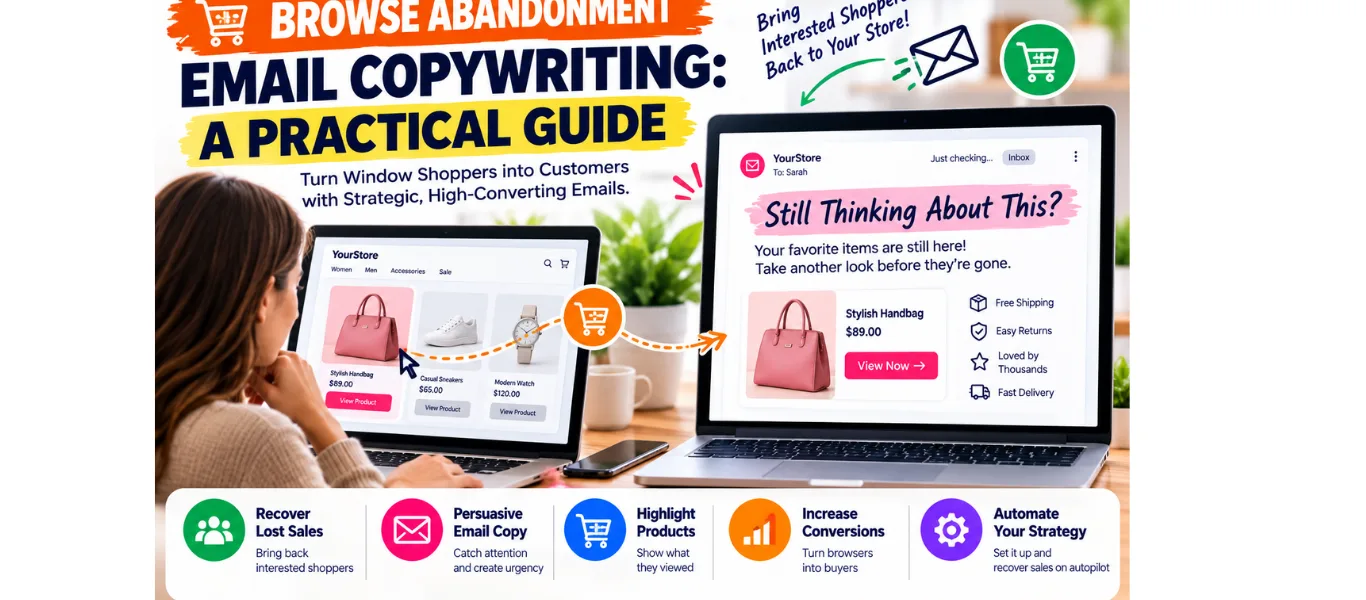
Browse abandonment email copywriting helps ecommerce brands follow up when someone views a product but leaves without buying. The goal is simple: make returning useful, easy, and comfortable. A thoughtful reminder can answer an unanswered question. A pushy message can make a casual visitor regret sharing their email address.
Understand the shopper’s intent
Browse abandonment differs from cart abandonment. The shopper looked at a product; they did not necessarily add it to a basket. Avoid language such as “Your order is waiting” or “Complete your purchase.” Those phrases suggest a commitment the shopper never made. Start with curiosity instead of pressure.
For example, “Still considering this?” acknowledges interest without assuming readiness. “A closer look at your next everyday bag” connects the reminder to a practical use. Choose wording that matches your brand and the product’s actual benefits.
Build a reliable audience first
In Klaviyo, browse abandonment uses the Viewed Product event. Its current guidance recommends verifying tracking and excluding people who have ordered or started checkout. Coordinate any cart flow so shoppers do not receive competing reminders. Follow your platform’s instructions rather than copying another store’s settings blindly.
Send only to eligible, identifiable contacts whom you are permitted to email. Respect unsubscribe choices and applicable consent requirements. Limit repeat entry so frequent browsing does not create an exhausting stream of messages. Review the recipient’s experience across all active campaigns, not just this automation.
Browse abandonment email copywriting: answer one useful question
Ask what might prevent this person from buying. For clothing, it could be sizing. For skincare, it might be ingredient information. For a household item, dimensions or care instructions may matter. Choose one relevant question and give a clear route to its answer.
Use the viewed product’s image and name where your platform supports them. Pair the feature with a genuine benefit. Instead of “Includes three pockets,” try “Keep your keys, phone, and travel card easy to find.” Confirm that the product actually offers the feature before using the line.
A simple email template
The following example is illustrative, using a fictional bag brand. It is not a real customer campaign or a reported result.
Subject: A closer look at your everyday bag
Preview text: Check the details before you decide.
Hi [First Name],
Finding a bag that fits your routine takes a little thought. If you are still considering [Product Name], here is a useful detail: its separate compartments help keep everyday essentials organized.
You can review the dimensions, materials, and available colours on the product page. Have a question about fit or care? Reply to this email and our team can help.
CTA: View the bag
Thanks, [Brand Name]
Replace every placeholder and verify each product detail. Link the button to the relevant product page, not a generic homepage. Keep your normal unsubscribe link and required sender information.
Plan a gentle follow-up
Begin with one useful reminder rather than a long sequence. Give shoppers time to continue browsing independently. Test your delay against your product category and buying cycle; there is no universal best sending time.
If you add a second message, give it a different purpose. Answer a common question, explain a relevant benefit, or show a genuine review with permission. Do not repeat the same sales pitch with louder punctuation.
Discounts are optional. Consider margin, customer expectations, and whether an offer is necessary. Never invent limited stock, disappearing prices, or a deadline. If availability genuinely changes, check the product data before the message sends.
Measure and improve
Review clicks, attributed orders, unsubscribes, and revenue alongside your platform’s attribution settings. Attribution indicates how the platform credits activity; it does not automatically prove the email caused every purchase.
Test one copy change at a time, such as a benefit headline or CTA. Allow enough activity to judge the result and avoid declaring a winner from a handful of clicks. Preview product data, mobile layout, and destination links before going live.
Before activating the flow, send a test message to yourself and someone unfamiliar with the product. Ask whether the subject line matches the content, whether the benefit is clear, and whether the button leads somewhere helpful. Check that missing names do not leave awkward greetings. Confirm that unavailable products cannot appear as purchasable. A small practical review checklist helps prevent avoidable mistakes while keeping the message focused on the shopper’s immediate decision.
Strong browse abandonment copy makes the next step feel worthwhile. Be specific about the product, honest about the offer, and respectful of the shopper’s attention.
[…] also differs from browse abandonment. A browser may have shown interest without requesting contact about availability. A waitlist […]